AI Agents & Developer Tools
Power your favorite AI agents and developer tools with Reka’s high-performance inference. Connect directly using your Reka API key.
How it works
Coding agents and developer tools talk to a model provider over an API. Most let you change the base URL and key, so you can point them at Reka and keep everything else the same: the tool runs on a Reka model, and usage is billed to your Reka account at the model’s per-token rate.
Tools that speak the OpenAI API use https://api.reka.ai/v1; tools built for Anthropic’s API, such as Claude Code, use https://api.reka.ai with the Anthropic-compatible /v1/messages endpoint. Either way you need an API key and a model from the catalog.
- Claude CodeRun Anthropic’s terminal coding agent on GLM 5.3 Flash. Set a few environment variables, then start claude.

- Hermes AgentUse Reka as the inference backend for the Hermes agent.
 Coming soon
 - Coming soonOpenClawConnect OpenClaw to the gateway with a single config change.
Claude Code
Claude Code is Anthropic’s coding agent for your terminal. Point it at Reka’s Anthropic-compatible API and it runs on GLM 5.3 Flash, billed to your Reka account. Three steps, a few minutes.
1. Install Claude Code
Skip this step if claude --version already prints a version.
Show how to install Claude Code
On macOS, Linux or WSL, run Anthropic’s installer:
curl -fsSL https://claude.ai/install.sh | bashOpen a new terminal and check that it worked:
claude --versionDone when it prints a version, such as 2.1.299 (Claude Code). On Windows PowerShell, install with irm https://claude.ai/install.ps1 | iex. For Homebrew and other options, see Anthropic’s setup guide. You don’t need an Anthropic account: Claude Code signs in to Reka with your Reka key.
2. Point Claude Code at Reka
Claude Code talks to Anthropic unless told otherwise. A few settings tell it where to send requests, which key to use and which model to ask for. Run these in the terminal where you’ll use Claude Code:
Create a key on the API keys page and copy it.
Save the key in your terminal. Replace
paste-your-key-herewith your key and keep the quotes:export REKA_API_KEY="paste-your-key-here"Paste the Reka settings. The last line,
claude, starts Claude Code:export ANTHROPIC_BASE_URL=https://api.reka.ai export ANTHROPIC_AUTH_TOKEN="$REKA_API_KEY" export ANTHROPIC_MODEL=glm5.3-flash export ANTHROPIC_DEFAULT_OPUS_MODEL=glm5.3-flash export ANTHROPIC_DEFAULT_SONNET_MODEL=glm5.3-flash export ANTHROPIC_DEFAULT_HAIKU_MODEL=glm5.3-flash export ANTHROPIC_DEFAULT_FABLE_MODEL=glm5.3-flash export CLAUDE_CODE_DISABLE_NONESSENTIAL_TRAFFIC=1 claudeThe first time, Claude Code asks three setup questions:
- Colour theme: press Enter to keep the default.
- Security notes: press Enter to continue.
- Trust this folder: press ↓ to select Yes, I trust this folder, then Enter. The default, No, exit, closes Claude Code.
Check the header. It shows
glm5.3-flash · API Usage Billing: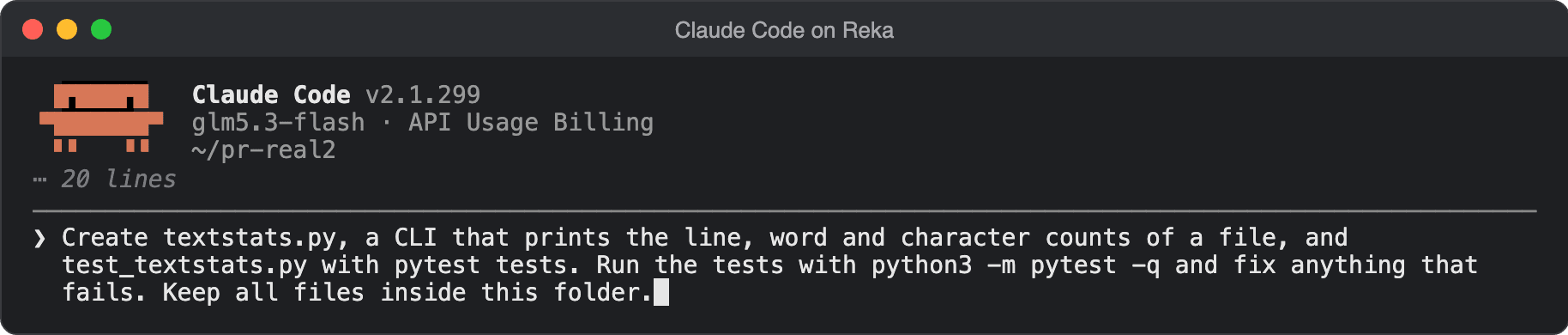
Claude Code on GLM 5.3 Flash. ⋯ marks output left out.
Claude Code may note that it doesn’t recognise glm5.3-flash; that’s harmless. If the header shows a Claude model or asks you to log in, see Troubleshooting.
On Windows PowerShell
$env:REKA_API_KEY = "paste-your-key-here"
$env:ANTHROPIC_BASE_URL = "https://api.reka.ai"
$env:ANTHROPIC_AUTH_TOKEN = $env:REKA_API_KEY
$env:ANTHROPIC_MODEL = "glm5.3-flash"
$env:ANTHROPIC_DEFAULT_OPUS_MODEL = "glm5.3-flash"
$env:ANTHROPIC_DEFAULT_SONNET_MODEL = "glm5.3-flash"
$env:ANTHROPIC_DEFAULT_HAIKU_MODEL = "glm5.3-flash"
$env:ANTHROPIC_DEFAULT_FABLE_MODEL = "glm5.3-flash"
$env:CLAUDE_CODE_DISABLE_NONESSENTIAL_TRAFFIC = "1"
claude
How to set up Claude Code to use Reka API: Tutorial Video
How the settings work
ANTHROPIC_BASE_URL | Sends Claude Code's requests to Reka instead of Anthropic. Claude Code adds /v1/messages to it. |
ANTHROPIC_AUTH_TOKEN | Your Reka API key, sent as a bearer token. Reading it from REKA_API_KEY keeps the key itself out of the command. |
ANTHROPIC_MODEL | The model for your conversation: glm5.3-flash. |
ANTHROPIC_DEFAULT_OPUS_MODEL, ANTHROPIC_DEFAULT_SONNET_MODEL, ANTHROPIC_DEFAULT_HAIKU_MODEL, ANTHROPIC_DEFAULT_FABLE_MODEL | What Claude Code uses when it asks for Opus, Sonnet, Haiku or Fable: /model, subagents and small background tasks such as titles. Point all four at glm5.3-flash, or those requests use a Claude model name that Reka doesn't serve. |
CLAUDE_CODE_DISABLE_NONESSENTIAL_TRAFFIC | Optional. Turns off Claude Code's own telemetry and update checks. |
The export lines last for that terminal only. To use Reka in every new terminal, add the REKA_API_KEY line and the settings (without the final claude) to your shell profile, such as ~/.zshrc or ~/.bashrc, with the key line first. To undo it, see Switch back to Anthropic.
Claude Code sends its whole system prompt and tool list with every request, so each request carries a large prompt, and more with extra tools and MCP servers. Track spending on the Usage & billing page.
3. Try it
Ask for something you can see:
Build index.html: 20 numbered, colourful balls bouncing inside a spinning hexagon.
Real physics: gravity, friction, ball-to-ball and wall collisions.
Single file, canvas only, no libraries. Just write the file, don't open it.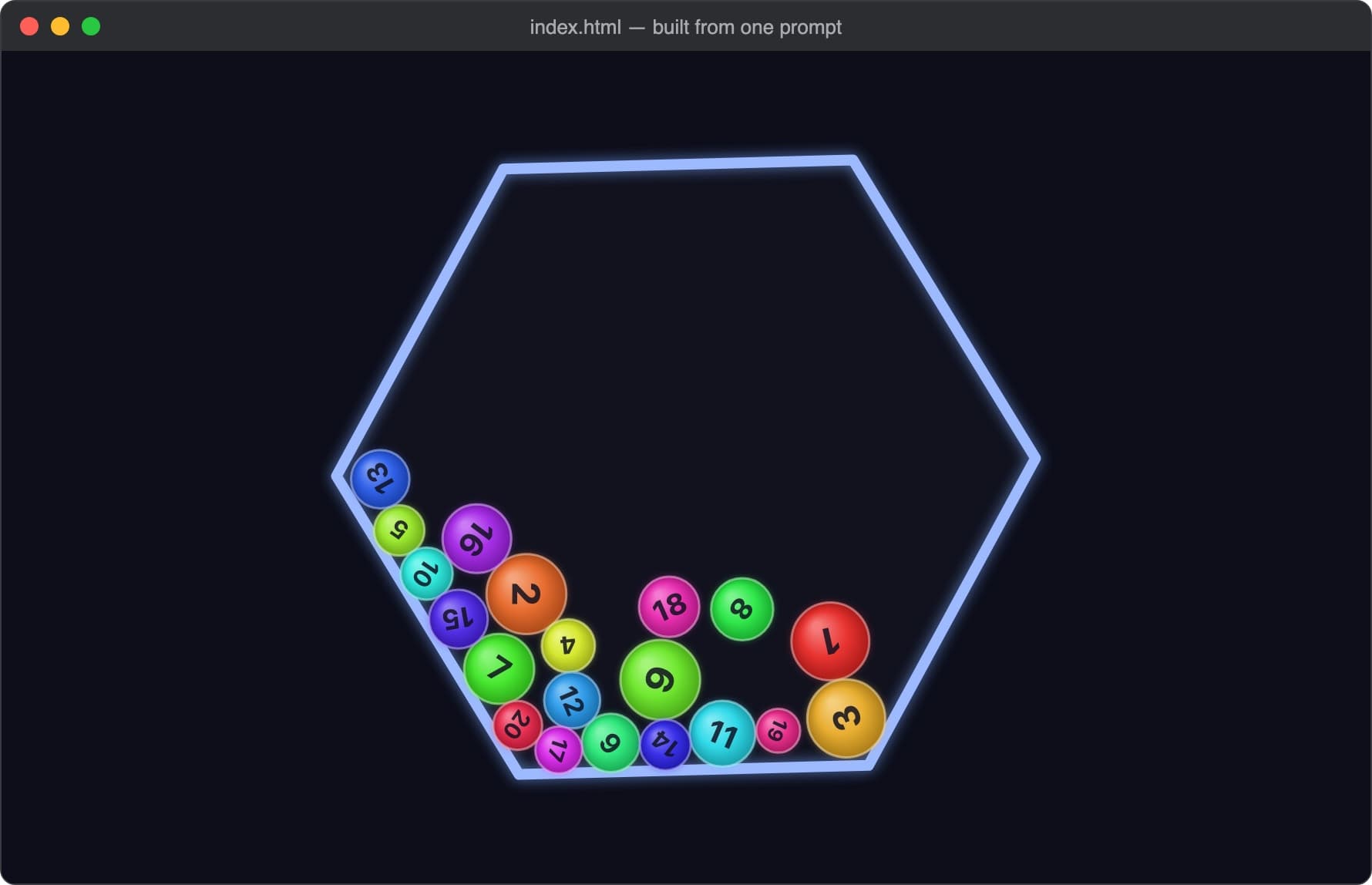
Or have it write code, test it and fix what fails:
Create textstats.py, a CLI that prints the line, word and character counts of a file,
and test_textstats.py with pytest tests. Run the tests with python3 -m pytest -q
and fix anything that fails. Keep all files inside this folder.
Switch back to Anthropic
Open a new terminal without the Reka lines, or run this in the current one:
unset ANTHROPIC_BASE_URL ANTHROPIC_AUTH_TOKEN ANTHROPIC_MODEL ANTHROPIC_DEFAULT_OPUS_MODEL ANTHROPIC_DEFAULT_SONNET_MODEL ANTHROPIC_DEFAULT_HAIKU_MODEL ANTHROPIC_DEFAULT_FABLE_MODEL CLAUDE_CODE_DISABLE_NONESSENTIAL_TRAFFICIf you added the lines to ~/.zshrc or ~/.bashrc, delete them there too, then open a new terminal. Start claude and run /status: with no Anthropic base URL line, Claude Code is back on Anthropic and uses your saved Claude login. If you ran /logout during setup, run /login.
Troubleshooting
claude: command not found
Open a new terminal and try again. If it still isn’t found, the install folder isn’t on your PATH yet: follow Anthropic’s install troubleshooting.
Claude Code closes right after it starts
On the folder-trust question, the default is No, exit. Start claude again and choose Yes, I trust this folder.
Claude Code asks you to log in, or shows a Claude model
The step 2 settings aren’t set in this terminal. Paste them again in the same terminal, then start claude. If you were logged in to an Anthropic account, run /logout in Claude Code first.
Unknown chat model, or model not found
A request used a Claude model name. Set every model line from step 2: ANTHROPIC_MODEL and the four ANTHROPIC_DEFAULT_…_MODEL lines (Opus, Sonnet, Haiku and Fable), then restart Claude Code.
WebSearch fails with a 400
Expected. Web search runs on Anthropic’s servers, so Claude Code’s WebSearch tool doesn’t work through Reka. Its other tools do.
Another tool fails with “tool type … is not supported”
Anthropic’s server-side tools (web fetch, code execution and the like) run on Anthropic’s servers and are refused with a 400. Tools that run on your computer, including MCP servers you added to Claude Code, work.
“mcp_servers is not supported”
MCP servers passed inside an API request are refused. Add them to Claude Code instead, so they run on your computer.
Reading a PDF fails with a 400
PDF documents aren’t supported. Convert the PDF to text or images first, then ask again.
HTTP 401
The key wasn’t accepted. Set the right key again with export REKA_API_KEY=…, then run export ANTHROPIC_AUTH_TOKEN="$REKA_API_KEY" again (on Windows PowerShell: $env:ANTHROPIC_AUTH_TOKEN = $env:REKA_API_KEY): the token is a copy taken when that line ran, so fixing REKA_API_KEY alone changes nothing. Then quit and restart Claude Code. If you saved the lines in your shell profile, fix the key there too and open a new terminal.
HTTP 403
Usually your account has no credit left. Add credit under Credits, then try again; a new key will not fix it.
HTTP 429
Too many requests at once. Wait a moment, then try again.
Coming soon
Guided setup for Hermes Agent and OpenClaw is in progress. Want one sooner, or a tool that isn’t listed? Tell us in the community.